Role
Product design + frontend
Format
Hackathon
Timeline
Hackathon + 2 weeks · Aug 2026
Agents
9

Due diligence in one run, every finding cited.

RAI is an AI due-diligence system for utility-scale solar. Upload a project’s documents, and nine specialist agents cross-examine them and return a readiness score with every finding cited. I designed the product and built the frontend: every screen an analyst touches.
▶ Watch the demo View the repo ↗
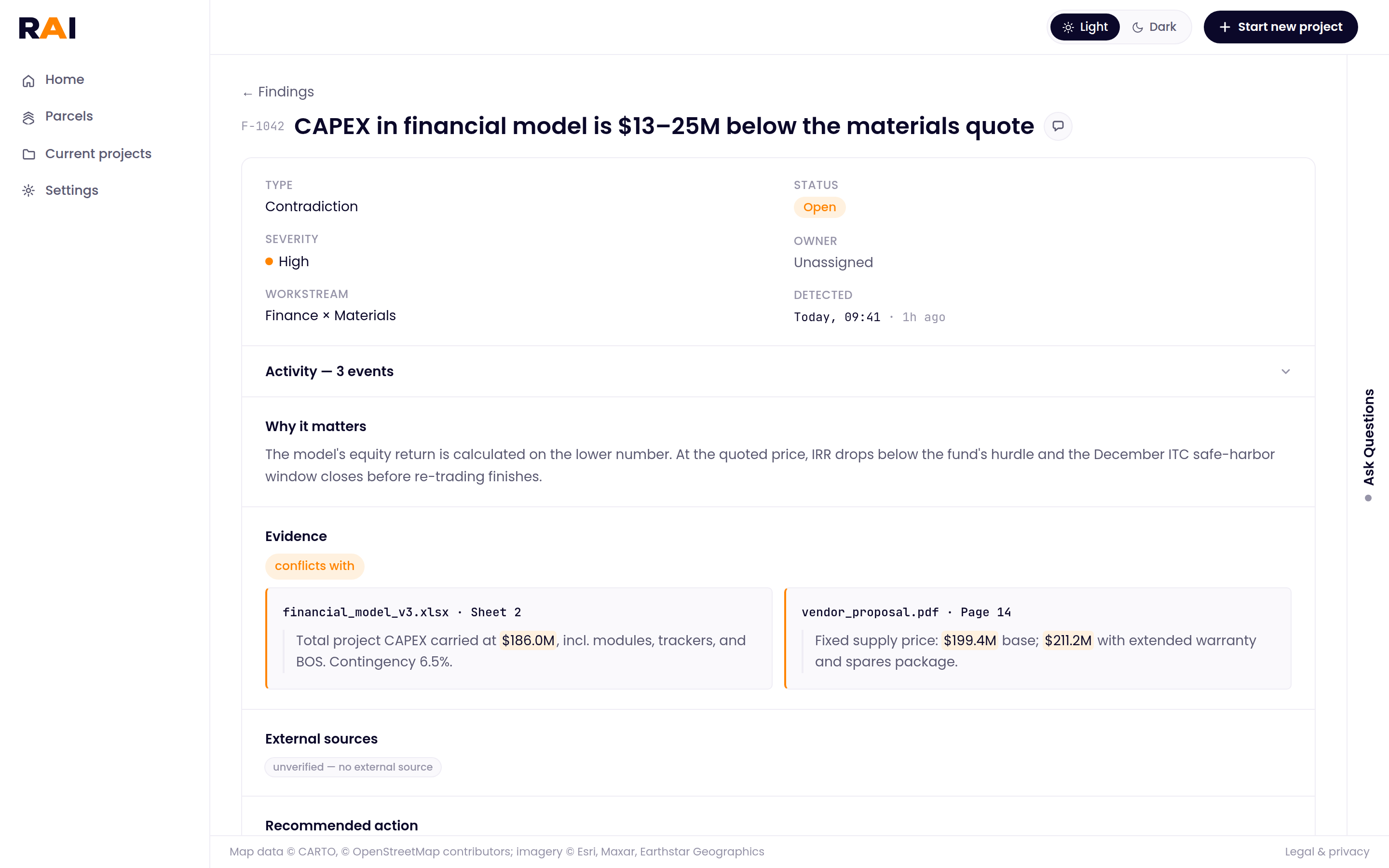
RAI evidence view: the financial model and the vendor quote side by side, with the conflicting numbers highlighted
My role
All product design + the entire frontend
Team
Joseph Bissell, Kiran Devihosur + others (agents, backend, infra)
Timeline
Started at a hackathon, then about 2 more weeks · Aug 2026
Frontend stack
Next.js 16 · React 19 · Tailwind 4 · Framer Motion · MapLibre

The problem in practice

The red flags live between documents, not inside them.

Before anyone puts money into a solar farm, an investment team reviews the project’s paperwork: hundreds of pages written by different companies, from the cost estimate to the contracts to sell the power. Each document looks fine on its own.

The risk is when two of them disagree. If nobody catches it, the decision to invest gets made on the wrong number.

The build cost doesn’t add up

The financial model says
$186M

to build the whole project

vs
The supplier’s quote says
$199–211M

for the equipment alone

Why it matters

The investors’ expected return is calculated on the lower number. At the quoted price, it drops below what the fund requires.

Less power is sold than the plan assumes

The sales terms say
200 MW

of power sold to buyers

vs
The signed contracts cover
150 MW

of that power

Why it matters

The revenue plan counts on 200 MW. The missing 50 MW is about a quarter of the expected revenue, and the loan was sized on that revenue.

Two examples from RAI’s demo project. Each document is consistent on its own page; the problem only shows up when you compare them.

Why it’s hard to catch

Slow, manual, and easy to miss.

Cross-checking a dossier is careful work done by hand, against a deadline, and the hardest problems to catch are the documents that aren’t there at all.

The work

Every number, by hand

Each document is written by a different party. Contradictions only surface when someone holds every figure in hundreds of pages against every other one.

The clock

Deadlines don’t wait

Under the 2025 federal tax law, a solar project that starts construction after July 4, 2026 must be in service by the end of 2027 to keep its federal tax credit. A slow review eats into that window.

The blind spot

Missing looks complete

A thin dossier looks just like a full one. No irradiance study, no proof of site control: gaps only show up if someone checks against what should be there.

RAI does that cross-checking in one run, cites every source, and flags what’s missing.


The system

Nine agents, each with one job.

Instead of asking one big AI model to read everything, the team split the review into small specialist agents. Joseph and Kiran built that pipeline. My job was the other side of it: making nine agents’ work readable, checkable and actionable for one analyst.

01

Narrow jobs

Each agent gets one narrow, focused prompt instead of one model juggling legal, finance, grid and permitting at once.

02

In parallel

Document readers and researchers run at the same time, one per document or topic, so a review finishes in one run.

03

Checkable hand-offs

Every agent returns a structured, typed result, so the next agent and the dashboard never have to guess what free text meant.

04

A dedicated cross-examiner

The red flags come from contradictions between documents, so one agent’s only job is to hold every number against every other one.

1 · Read
OrchestratorProfiles the project and plans the review
Doc extractorsEvery claim, with a page cite
2 · Research
Gap analyzerWhat’s missing
Data scoutsPublic records for each gap
ResearchersBenchmarks per topic
3 · Cross-examine
Cross-examinerContradictions between documents
4 · Decide
ScorerReadiness 0–100
LiaisonQuestions for the developer + action list
5 · Review · my part
The dashboardEvery screen the analyst uses
Analyst agentAnswers questions about the finished report
What I owned

Product design + the entire frontend

  • Every screen, from uploading documents to the shareable memo: 14 screens in all.
  • Built with Next.js 16, React 19, Tailwind 4, Framer Motion and MapLibre, against one typed report contract.
What the team owned

Agents, backend + infrastructure

  • Joseph Bissell and Kiran Devihosur built the agent pipeline.
  • Others on the team built the backend and infrastructure.

The solution

One run, from upload to proof.

An analyst drops in a project’s documents and gets back a scored, cited report. Here’s what happens in between, and where the person stays in charge.

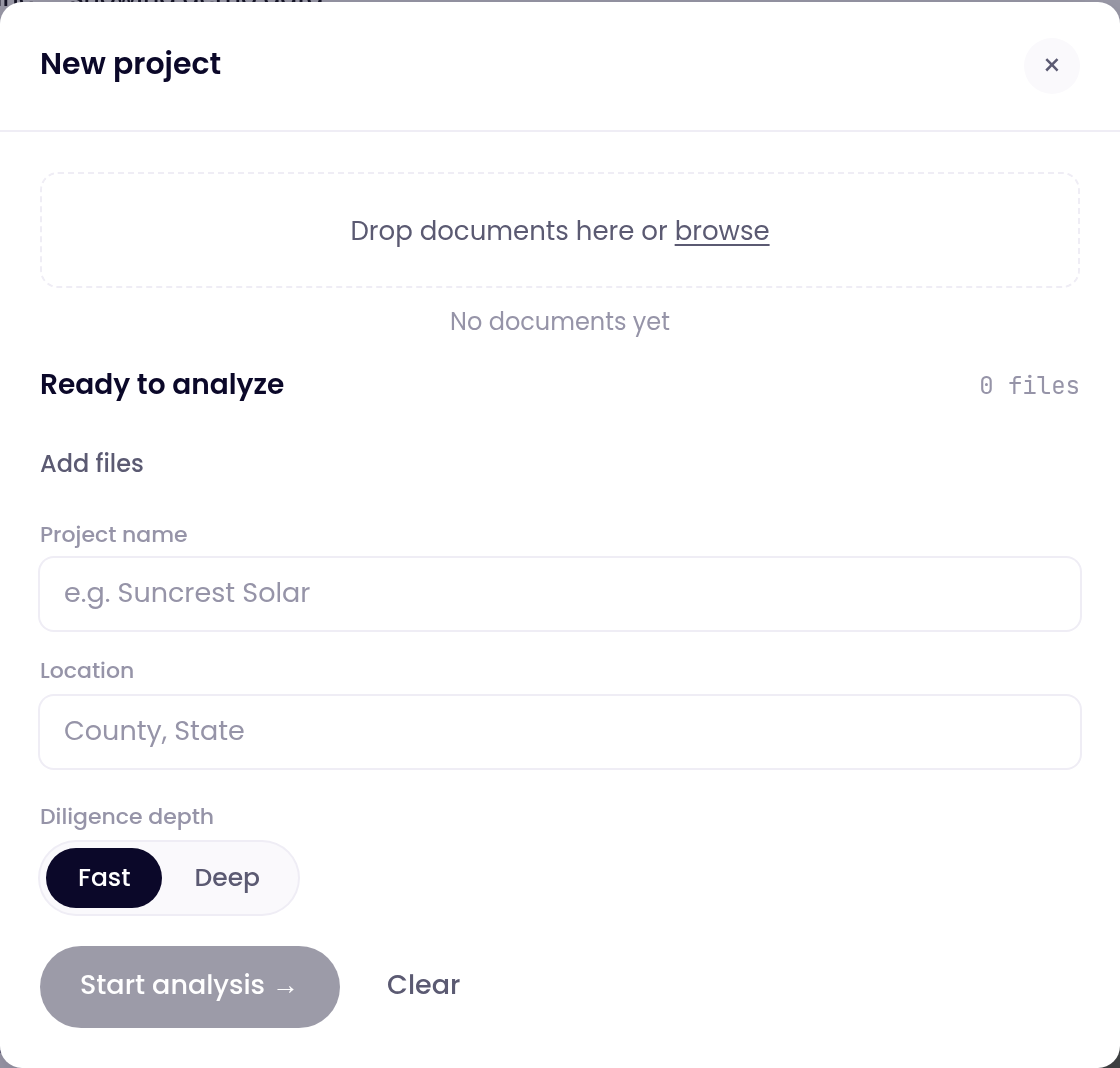
New project window: drop documents, project name, location, and Fast or Deep diligence
01

Upload the document set

Drop in the files, name the project, pick Fast or Deep diligence.

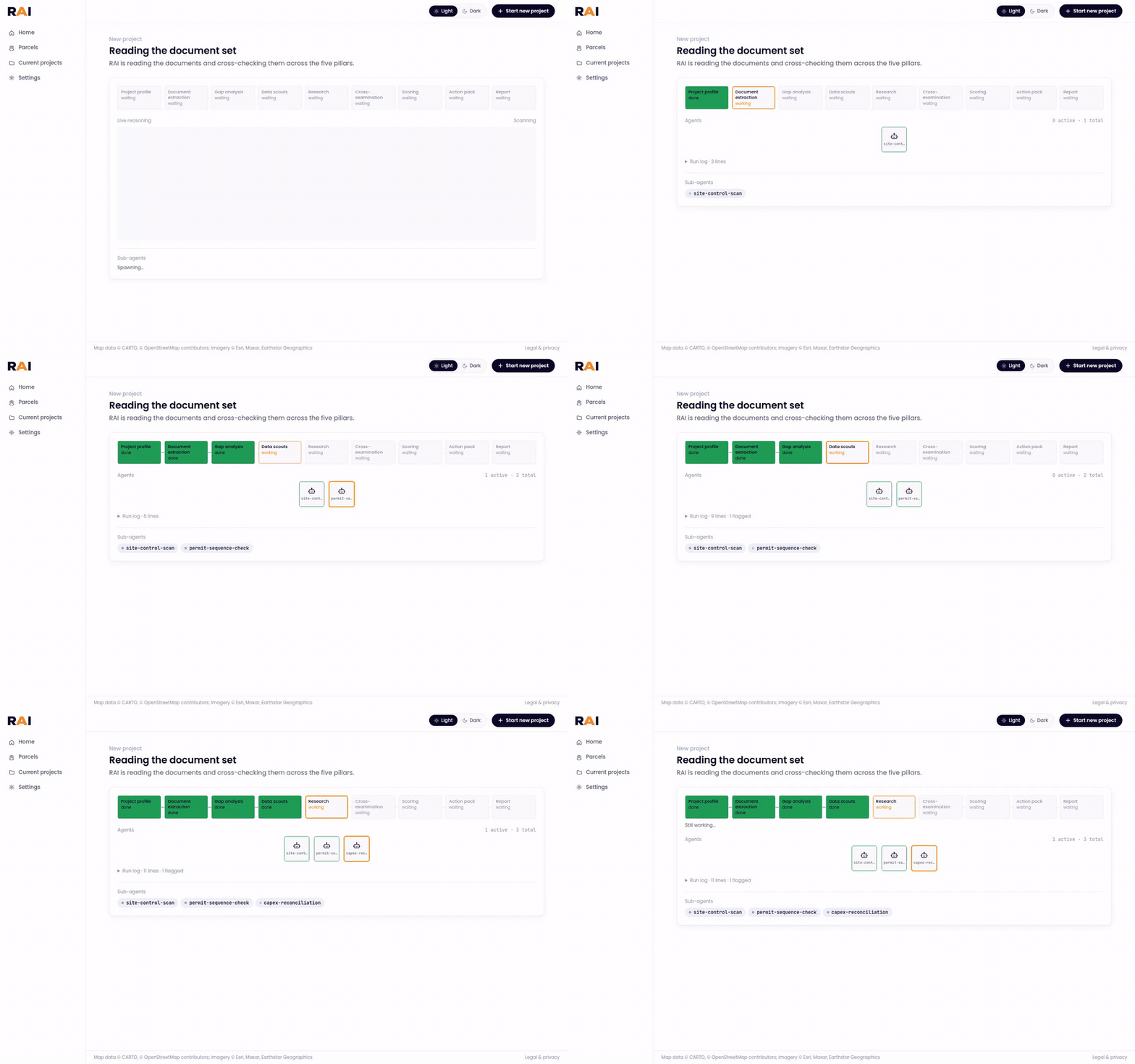
Agents working through the document set, one status box each
02

Watch the agents work

Each agent gets its own status box and narrates as it goes, so a long run never looks frozen.

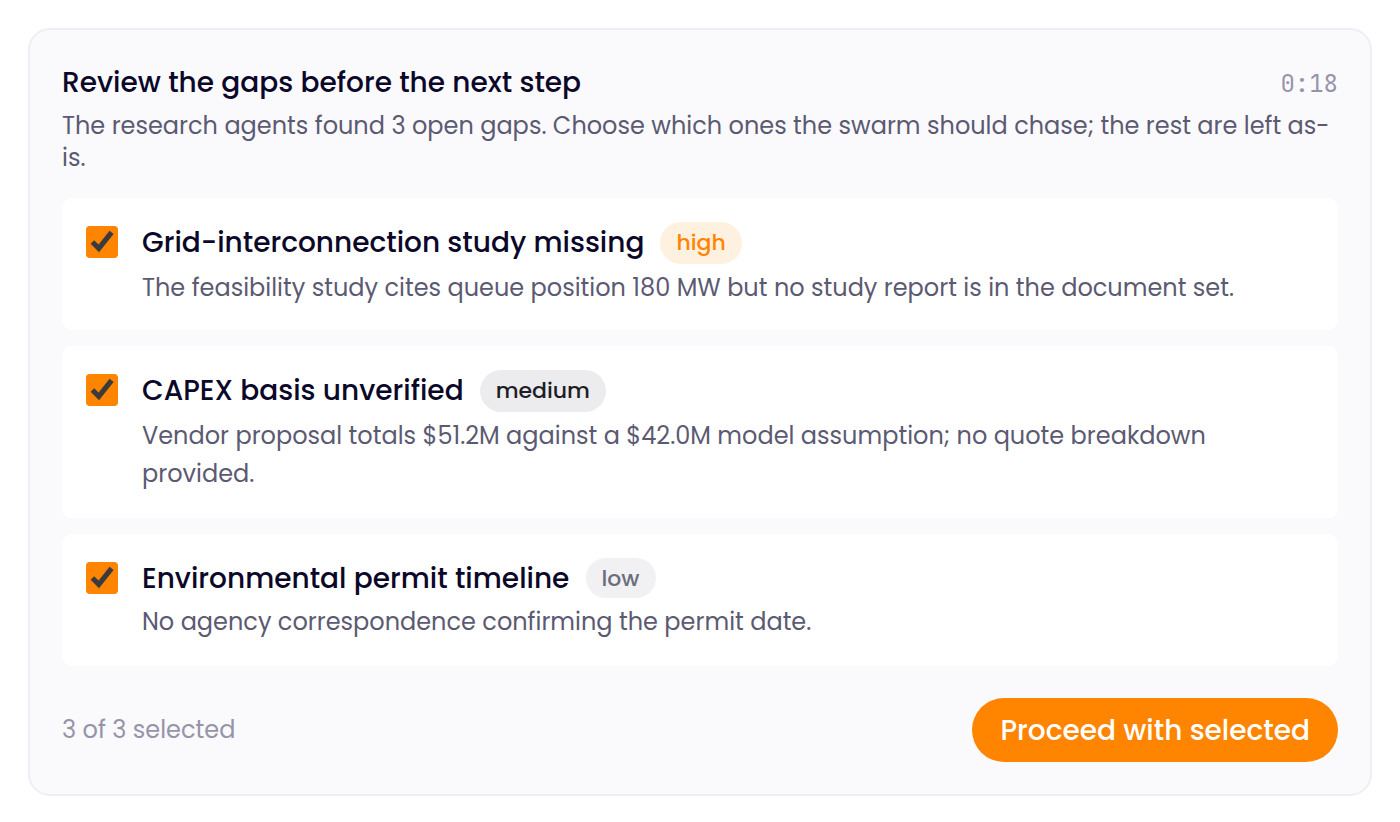
Gap review card: three gaps the agents found, each with a checkbox, and a Proceed with selected button
03

Choose which gaps to chase

Mid-run, the pipeline pauses on the gaps it found. The analyst picks which ones the agents chase. If no one answers before the timer runs out, every gap gets chased.

Three screens, from score to proof.

Read the score, dig into any finding, then ask questions or export the memo.

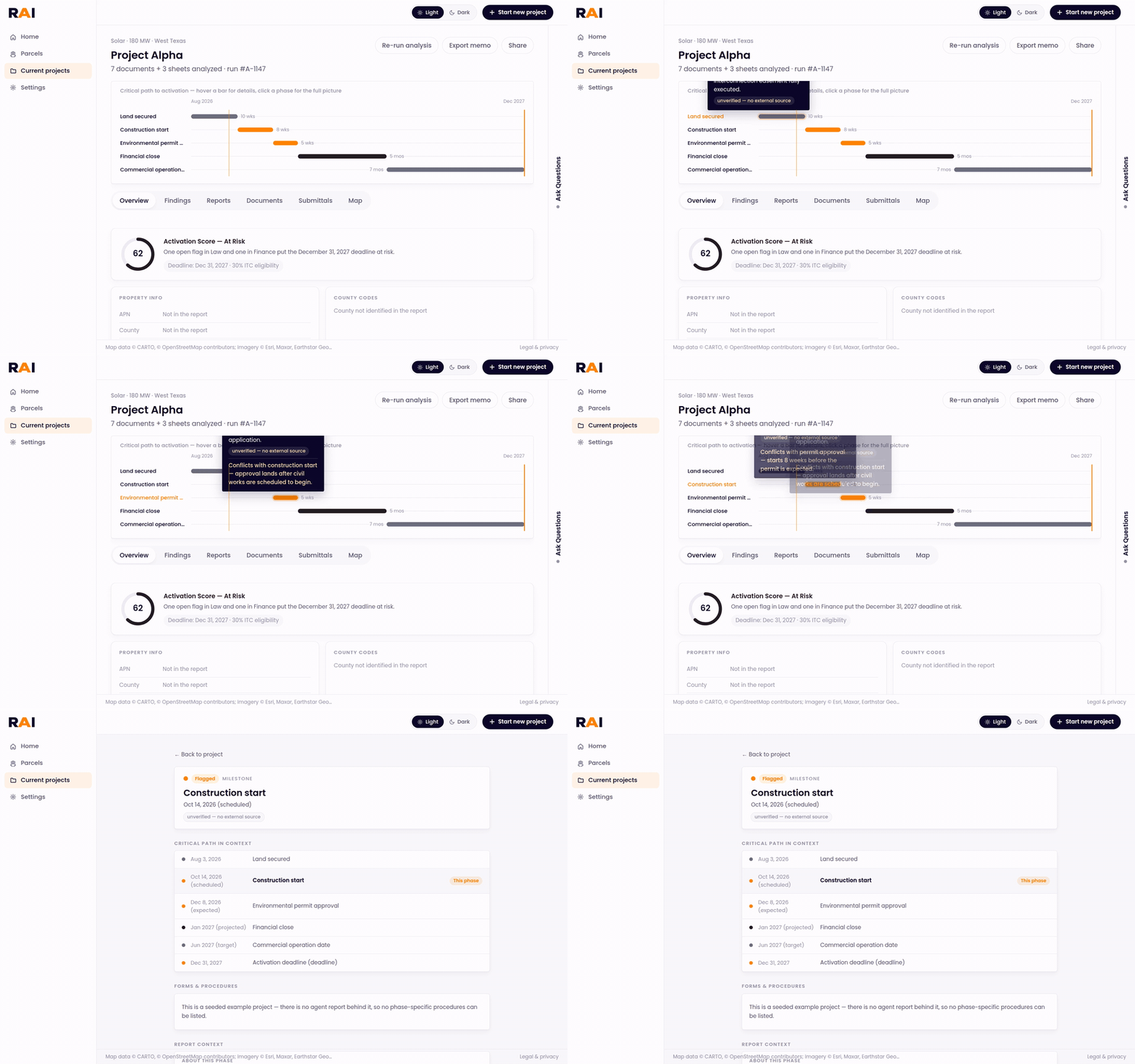
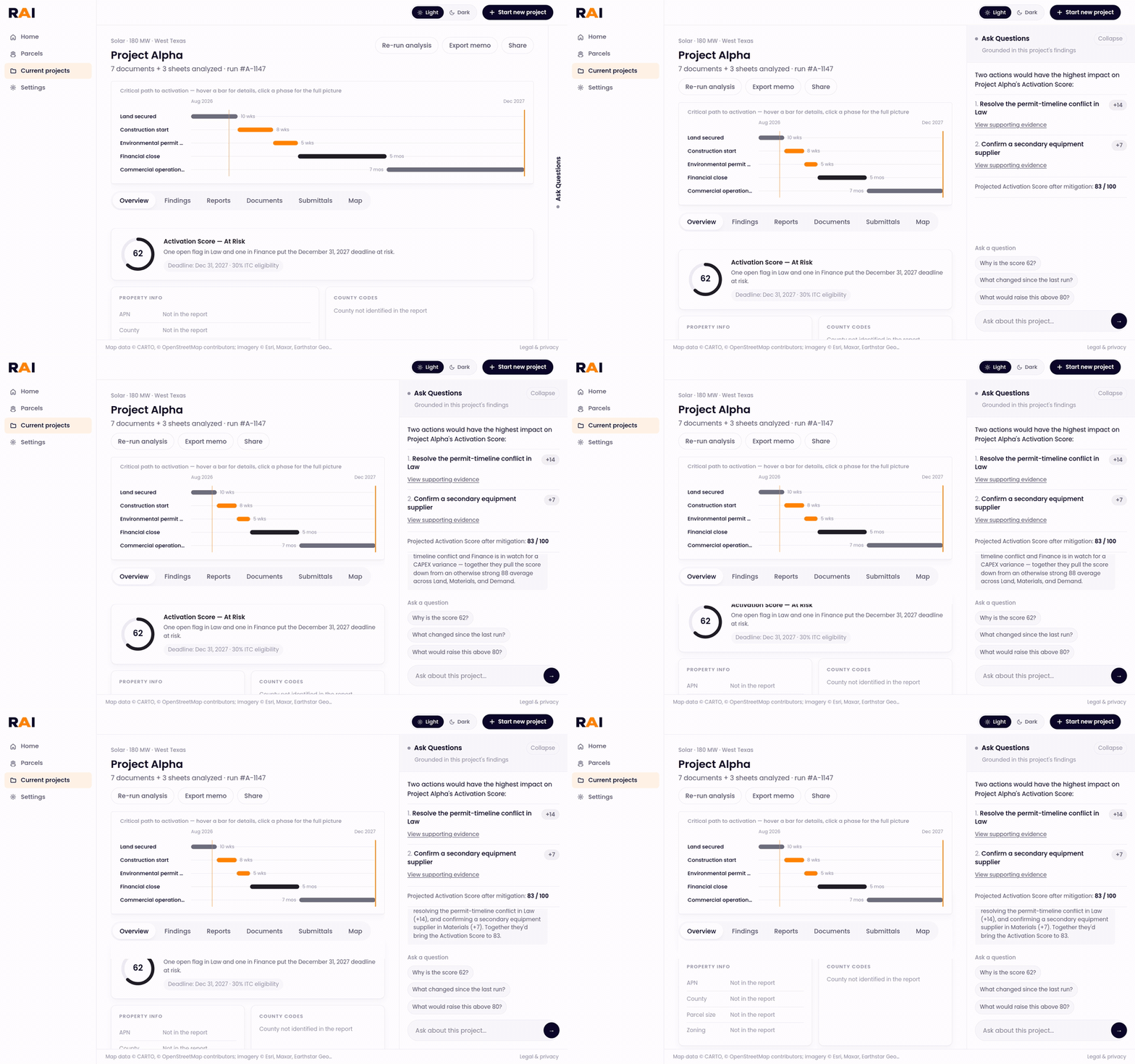
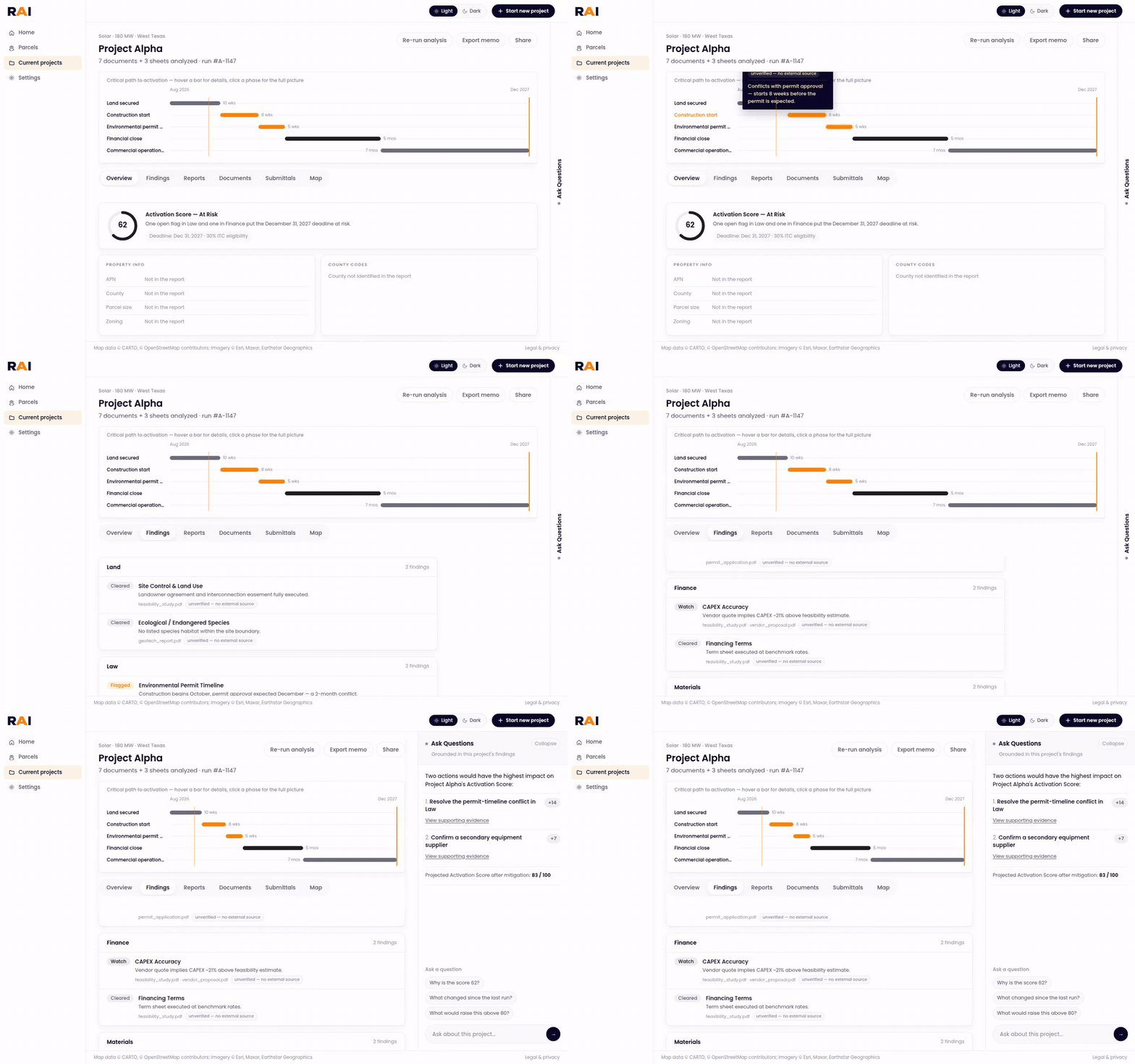
Hovering the critical-path timeline to see why each phase is flagged, then opening a phase for the full picture
01

Readiness overview

  • One 0–100 score built from five weighted areas: land, law, finance, materials and demand.
  • Proceed at 70+, investigate at 40–69, hold under 40.
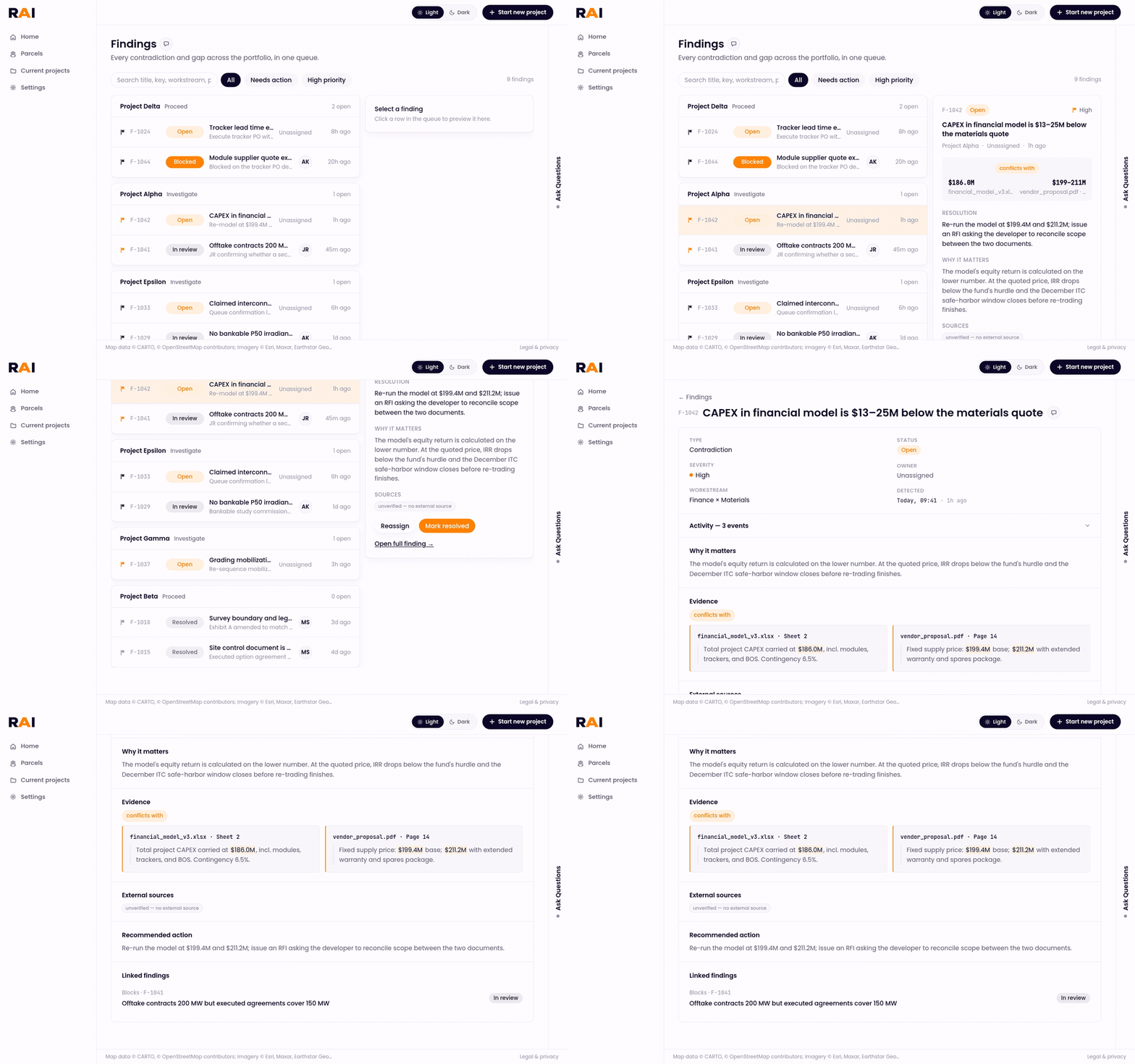
Opening a finding from the queue, then the evidence view with both sources side by side
02

Findings + evidence

  • Every finding in one queue, with a quick-look pane.
  • Open a contradiction to see both sources side by side, cited to the page.
Asking why the score is 62 and what would raise it above 80, answered from the report
03

Ask + memo

  • Questions about the finished report, answered only from its evidence.
  • Export a memo for the investment committee, or share a read-only link.

Clips recorded from the project repo running locally on its built-in demo data, with the agent backend offline.


Design principles

Three rules for trusting AI output.

01

Show the work

Every finding links back to the document page or public source it came from. Nothing is asserted without a citation you can open.

02

Color means something

On-track items stay grey. A screen full of green checkmarks teaches people to stop reading, so only what needs attention gets color.

03

Fail honestly

If a source didn’t load, the UI says “fetch failed” or “not verified yet.” It never invents a link or shows an empty result as a real one.


Systems thinking

When RAI isn’t sure, it says so.

Principle 03 in the actual screens. An analyst can’t act on a finding they can’t check, so every uncertain state is visible instead of smoothed over.

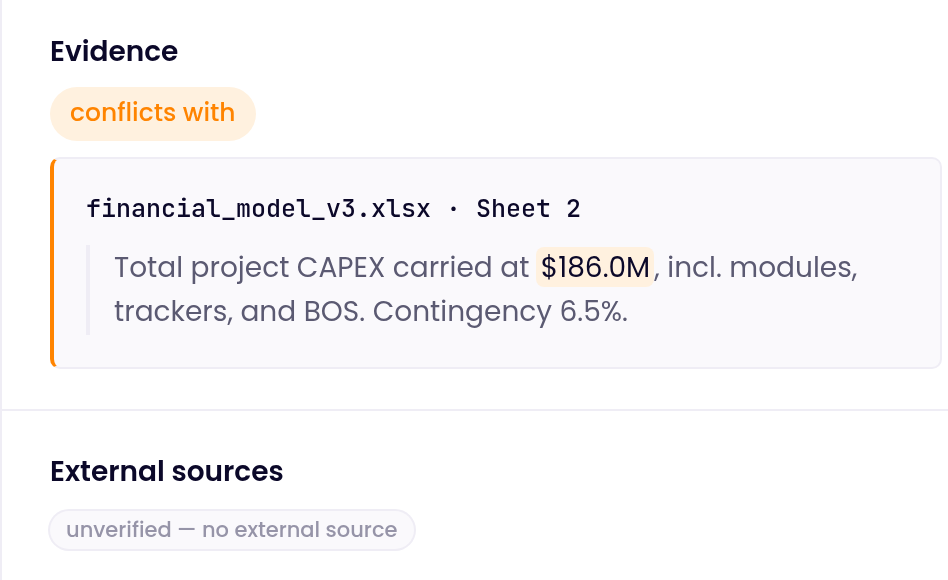
Evidence from two documents that conflict, with an external sources tag reading unverified, no external source

No source, no link

A claim links out only when the pipeline returned a real URL. Anything else carries an “unverified — no external source” tag. Statute citations link only to official pages that were checked to resolve.

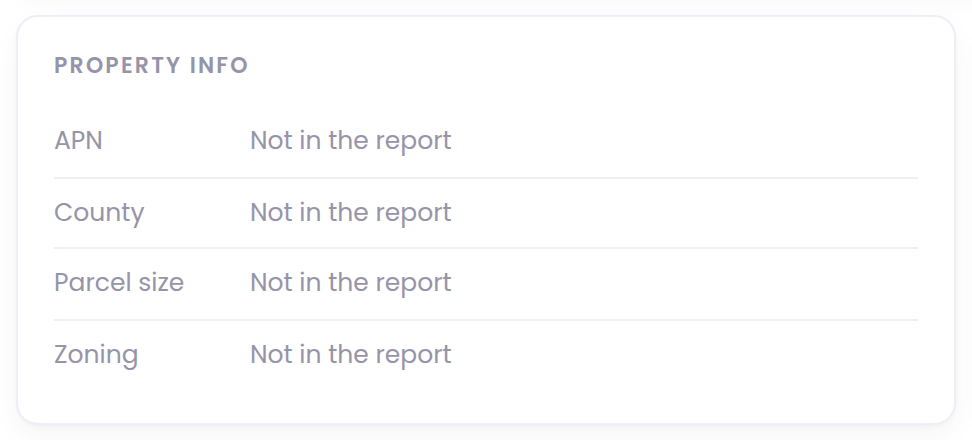
Property info card where APN, county, parcel size and zoning all read Not in the report

Blank means blank

Fields the report never surfaced read “Not in the report.” RAI doesn’t fill them with a plausible guess.

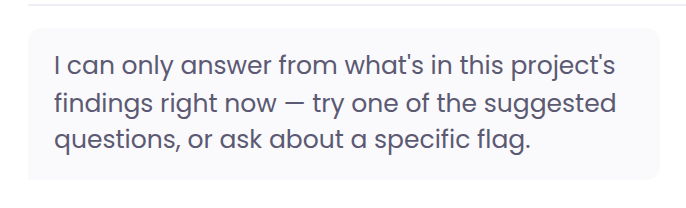
Ask rail reply: I can only answer from what’s in this project’s findings right now

Answers stay inside the report

Live answers the report doesn’t support are marked “Not covered by this project’s report.” With no run behind a project, the rail says it can only answer from the findings.

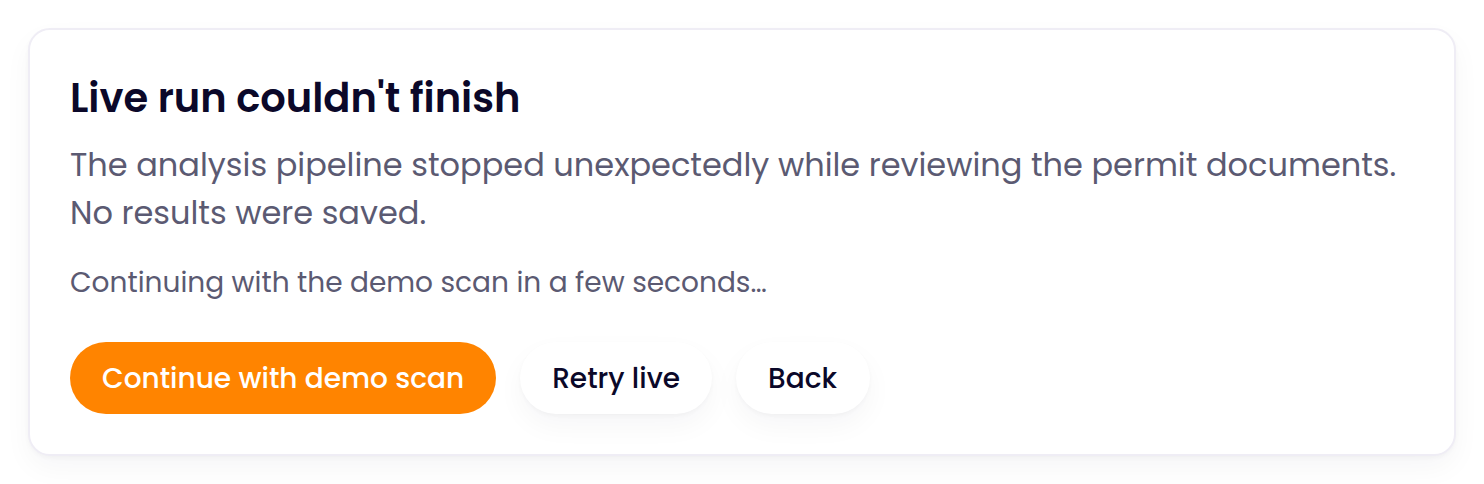
Live run couldn’t finish: no results were saved, with Continue with demo scan, Retry live and Back

Failures don’t hide

If a live run fails, the analyst is told no results were saved, then chooses to retry or continue on demo data. Demo data only ever appears under a “Backend offline” banner.

Screens captured from the project repo in demo mode. The failed run uses the app’s built-in error simulation.


Built with code

Every screen an analyst touches, in code.

I designed the product and built the entire frontend: every screen, from uploading documents to the shareable memo.

The frontend is built against one typed report contract, so live results drop in unchanged. While a run is going, each agent narrates in its own status box.

Screens14
TimelineHackathon + about 2 weeks
Report contractOne, typed
Agent statusLive narration
StackNext.js 16 · React 19 · Tailwind 4
rai · project walkthrough
View the repo ↗
RAI walkthrough: project overview, findings, then asking a question

Reflection

What building RAI taught me

RAI started at a hackathon, and we kept building it for about two weeks after. It was my deepest look yet at agentic architecture, and at what the engineers on our team were actually building.

A mistake I made

My “this is taking too long” prompt didn’t know what “too long” meant.

What happened

While the agents ran, a prompt asked whether to keep waiting or cancel. It kept popping up on runs that were still working, and without solid checks in the code, it sometimes triggered the cancel.

The question I skipped

What was actually taking too long? The prompt wasn’t reading the one signal that mattered: the live stream of agent activity on the page.

The fix

Tie the timer to that stream. Every new line of agent activity restarts a 3-minute timer, so the prompt only appears after real silence. The planned pause for gap review never counts.

What I learned

The page’s behavior has to reflect what the backend is really doing. Once you’re past the mockup, a waiting screen is a reading of the live system.

What changed

Understanding the architecture made my designs better

Once I understood how the agents were built and how they worked through the documents, I could hand the engineers designs that fit what the system could actually do.

Takeaway

Designing for agents is its own skill

Designing for people working with agents that parse documents means designing the waiting, the sources and the uncertainty, not only the final answer.

Still to do: the human review bar is designed and built, but not wired into the project view yet. Next is mounting review, then saving every approved correction so reviewers make the agents better over time.