Hospice handoffs you can just say out loud.
Bedside is a voice-first handoff app for home hospice volunteers and family caregivers. Someone at the bedside talks through their shift; Bedside turns it into a structured handoff, shows the next person what changed, and flags anything that may need a nurse.
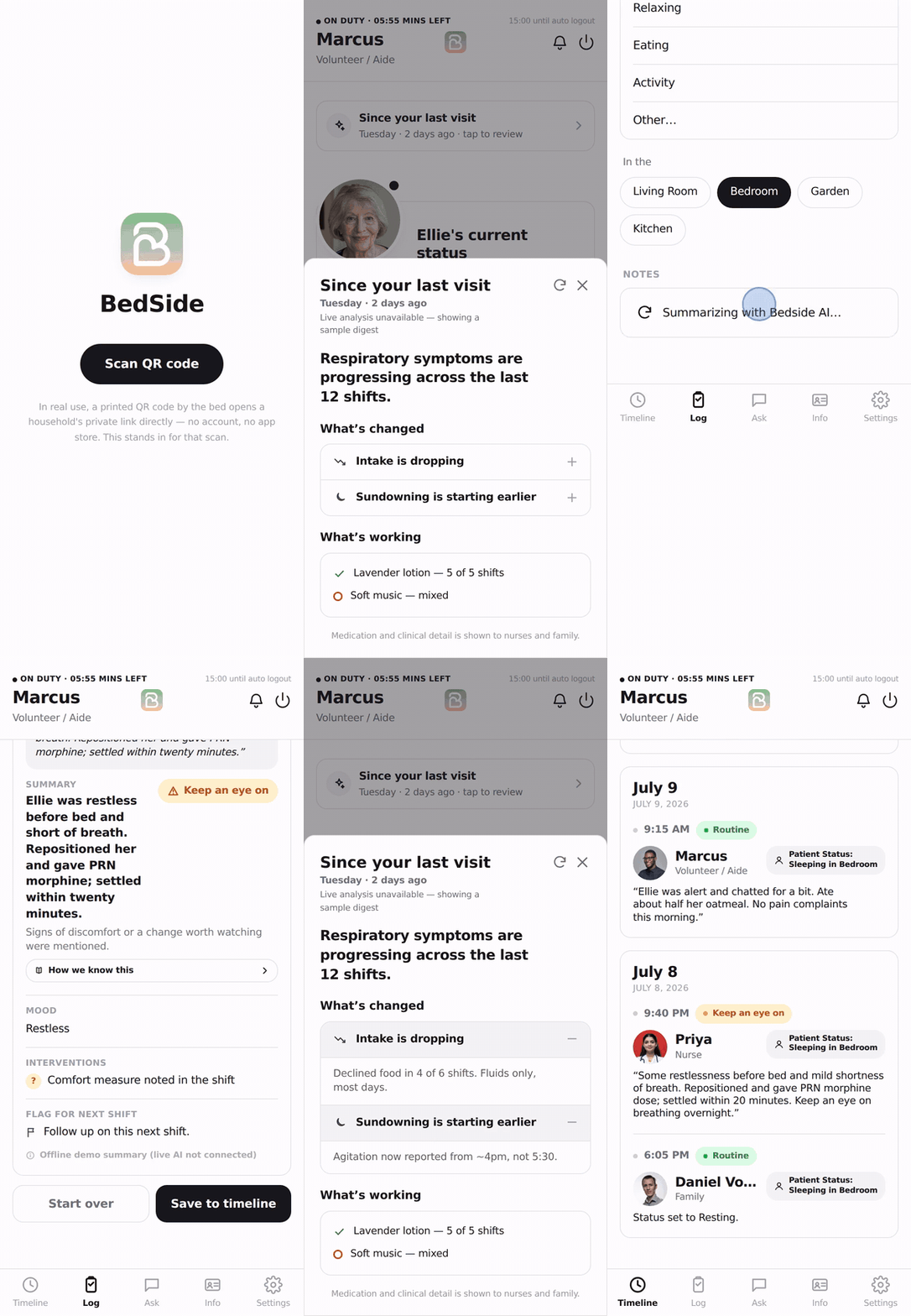
The most important context lives in handwritten notes.
Home hospice care is shared across nurses, family members and volunteers, shift after shift. Medication changes, shifts in behavior, what helped: it all gets passed along on paper.
Medicare-certified hospices must keep volunteer activity equal to at least 5% of the patient-care hours provided by paid staff.
Volunteers aren't an edge case. They're a required part of hospice care. Source: CMS.
What could a handoff look like if the person at the bedside could just talk?
I designed the behavior behind the interface.
Sydney owned product design and the React frontend. I owned the backend, data model, infrastructure, and the three agents below.
Me
Everything behind the screens.
- Backend
- Data model
- Infrastructure
- Three agents
Sydney
The screens people use at the bedside.
- Product design
- React frontend
Three agents behind one handoff.
A handoff summarizer, a care-plan Q&A agent and a pattern analyst. All three ran live on synthetic patient data.
Handoff summarizer
Turns a spoken shift note into the same structured handoff every time.
Care-plan Q&A
Answers questions from the household's own care plan and shows where each answer came from.
Pattern analyst
Reads the last fifteen shift logs together and finds what no single entry contains.
One spoken note in, one handoff the next person can use.
The summarizer turns whatever someone says at the end of a shift into the same structured card every time, so the next person never has to decode someone else's shorthand.
“Ellie was restless before bed and short of breath. Repositioned her and gave PRN morphine; she settled within twenty minutes.”
- Summary
- Restless before bed, short of breath. Settled after repositioning and PRN morphine.
- Medications
- Morphine, oral solution · PRN
- Mood
- Restless → settled
- What helped
- Repositioning
- Urgency
- Watch · breathing changes
- Confidence
- Shown on every handoff, so the next person knows how sure it is
The escalation path: the AI surfaces, a person decides
- AgentVolunteer talksthrough the shift
- AgentSummarizerstructures the note
- AgentRed flag?urgency + confidence
- PersonCaregiver alertedin the app
- PersonCaregiver decidesnotify the nurse, or not
Nothing reaches the nurse without a person choosing to send it.
Answers from the care plan, or no answer at all.
The Q&A agent is a RAG agent over the household's own care plan. It answers only from those notes and shows where each answer came from. When the answer isn't there, it points to the nurse instead of guessing.
“What helps Ellie settle at night?”
Her care plan says she settles best with her head raised, the lights low, and someone sitting with her until she falls asleep.
SourceCare plan › Comfort and routines“Should we give her more morphine tonight?”
I can't find this in Ellie's care plan, so I won't guess. Questions about her medication go to her nurse.
Message her nurse →Every answer can be checked
Each answer links back to the part of the plan it came from, so the person at the bedside can verify it instead of just trusting it.
“Ask the nurse” is an answer
In hospice care a confident wrong answer is worse than none. Clinical calls stay with the people qualified to make them.
Fifteen shift logs in. What no single entry says.
The pattern analyst reads the last fifteen shift logs together and finds what no single entry contains. It wasn't prompted to look for caregiver strain, but it flagged it.
- Day 1Son · Restless around 5:30, settled after dinner.
- Day 3Volunteer · Agitated by 5, calmer once the lights were low.
- Day 4Son · Up with her most of the night again.
- Day 6Volunteer · Confused and restless from about 4:15.
- Day 7Son · Agitated at 4. Didn't sleep last night.
+ 10 more shifts
Sundowning is starting earlier
Agitation started around 5:30 PM on day 1 and around 4 PM by day 7. No single handoff shows that drift.
Her son hasn't had a night off
Not asked forHe had been up every night with no respite. Nobody wrote “caregiver strain” in a log. The agent put it together across a week of shifts.
Agent examples are illustrative, built from Bedside's synthetic demo data. No real patient information.
Everyone on the care team sees only what their role needs.
Three kinds of people share one patient. A volunteer reading a medication history isn't helping anyone, so access is decided by role and enforced in two places: the UI, and every agent's prompt.
| Information | Family caregiver | Volunteer | Nurse |
|---|---|---|---|
| Clinical detail: medications, symptoms | ✓ Full | No access | ✓ Full |
| Comfort and care: routines, what helped | Yes | Yes | Yes |
| Red-flag alerts | ✓ Decides whether to escalate | Raises them through the handoff | ✓ When the caregiver sends it |
Synthetic data was a hackathon constraint, not the security model.
We designed to HIPAA's minimum-necessary standard and listed what production would still need.
- 01Business associate agreements
- 02Encryption
- 03MFA
- 04Audit logs
Three decisions that kept it running.
Flexible storage
Agent responses stored as JSONB in Supabase Postgres, so their shape could change mid-hackathon without a schema migration.
Keys stay on the server
Supabase Edge Functions held the DigitalOcean agent credentials, so nothing sensitive ever reached the browser.
Safe failure
Every agent response is parsed defensively. A malformed output returns a safe fallback instead of crashing the screen a caregiver is using.
Scoped to one moment: the handoff.
We didn't try to build a hospice records system. We built the handoff between shifts, end to end. There's no account and no app to download: scan the household's QR code, pick a profile, enter a PIN and talk.
Sydney designed and built the screens, and I built the three agents behind them. All of it ran live on synthetic patient data.
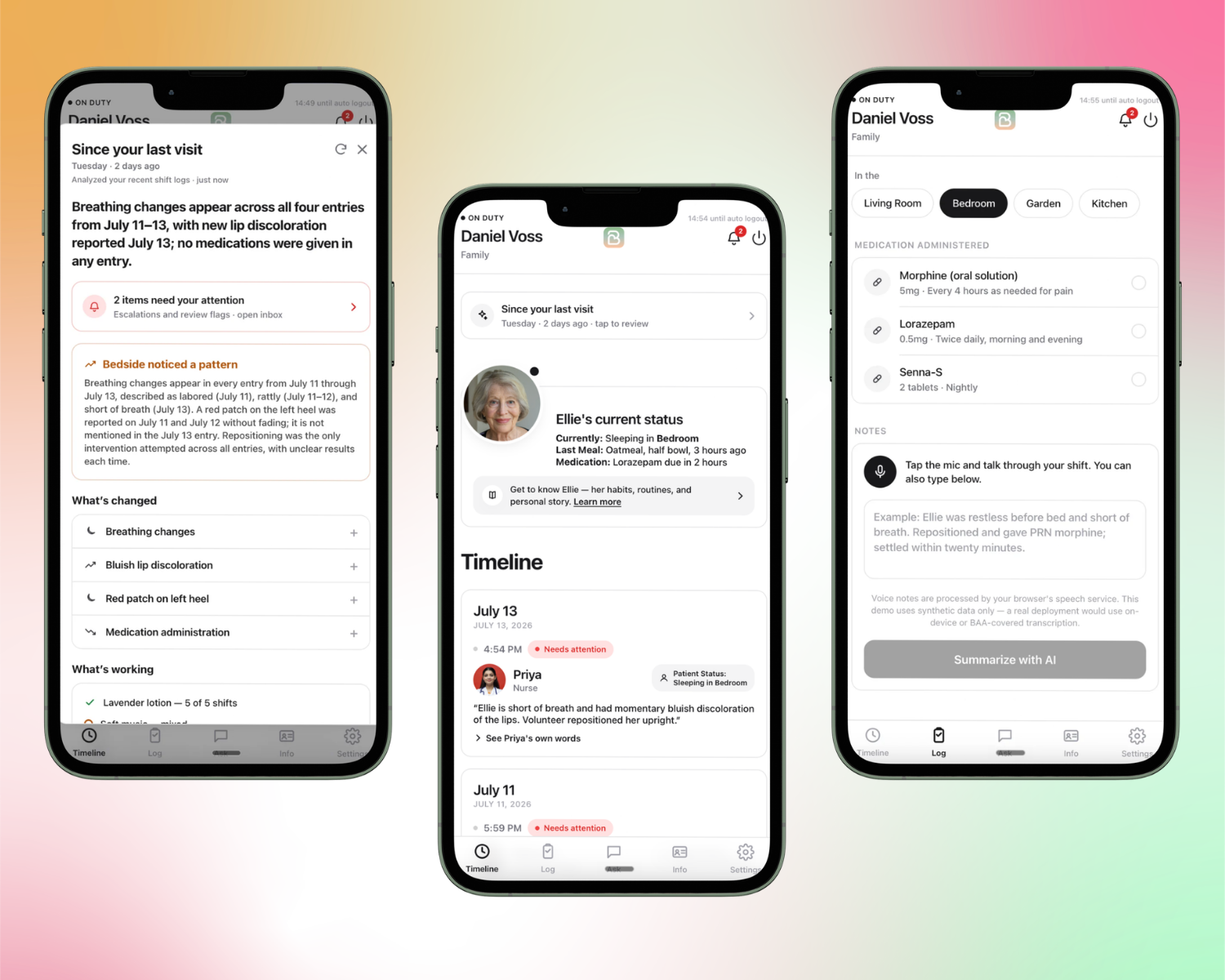
A handoff designed around the shift itself.
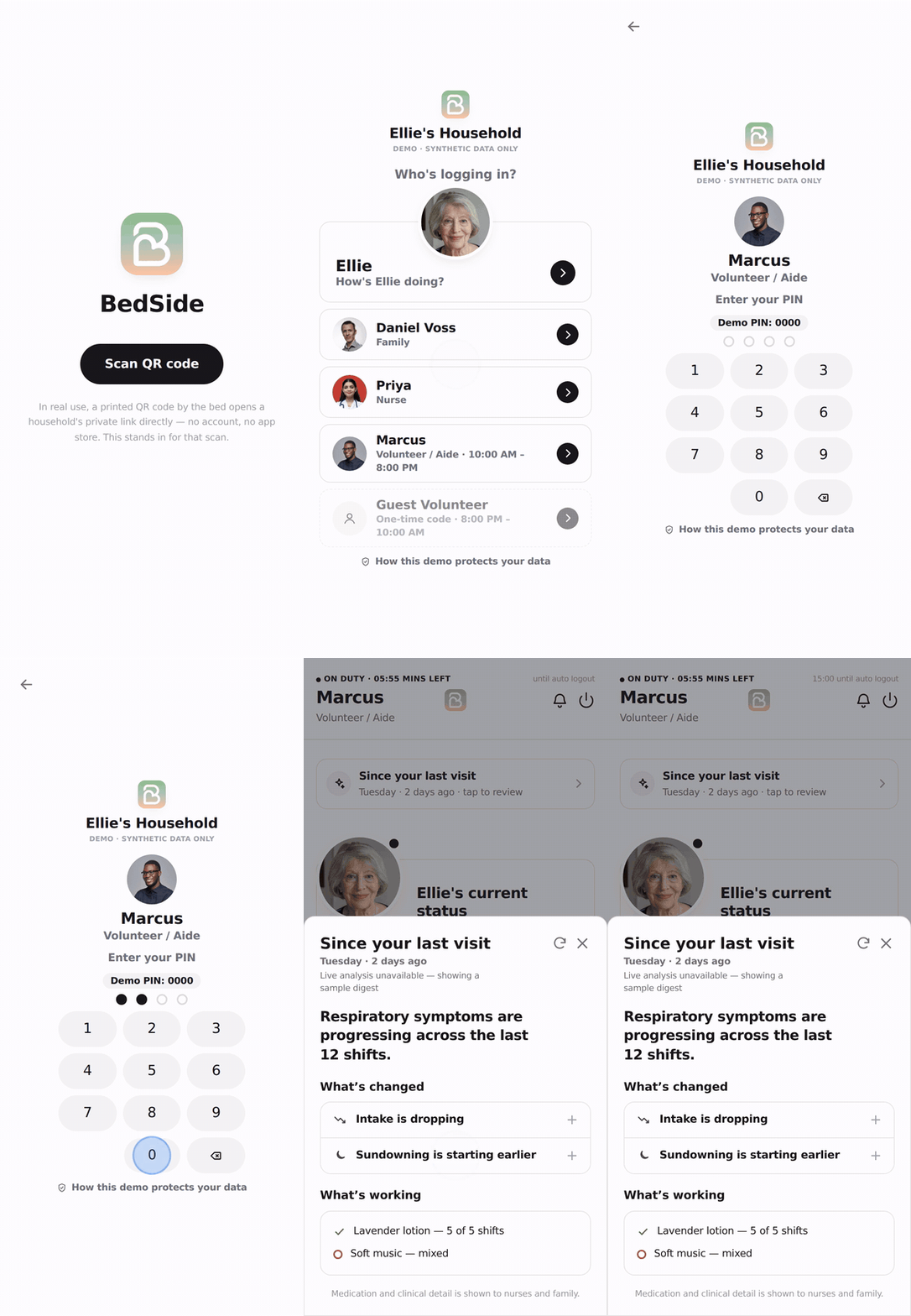
Simple entry
Scan the household QR code, pick a profile, enter a PIN. No account, no app store.
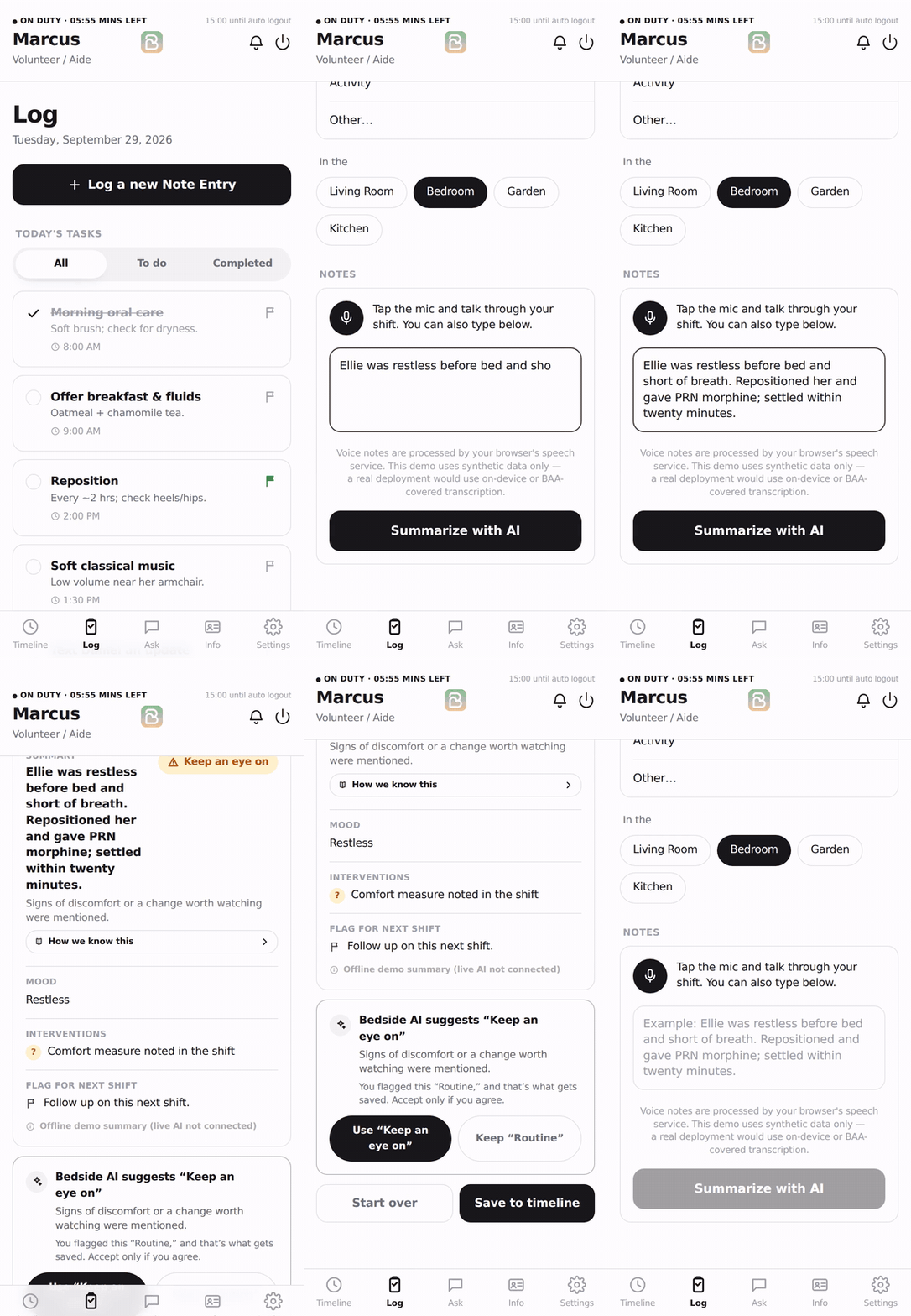
Voice handoff
Tap the mic and talk through the shift. The note becomes a structured handoff, with typing as a fallback.
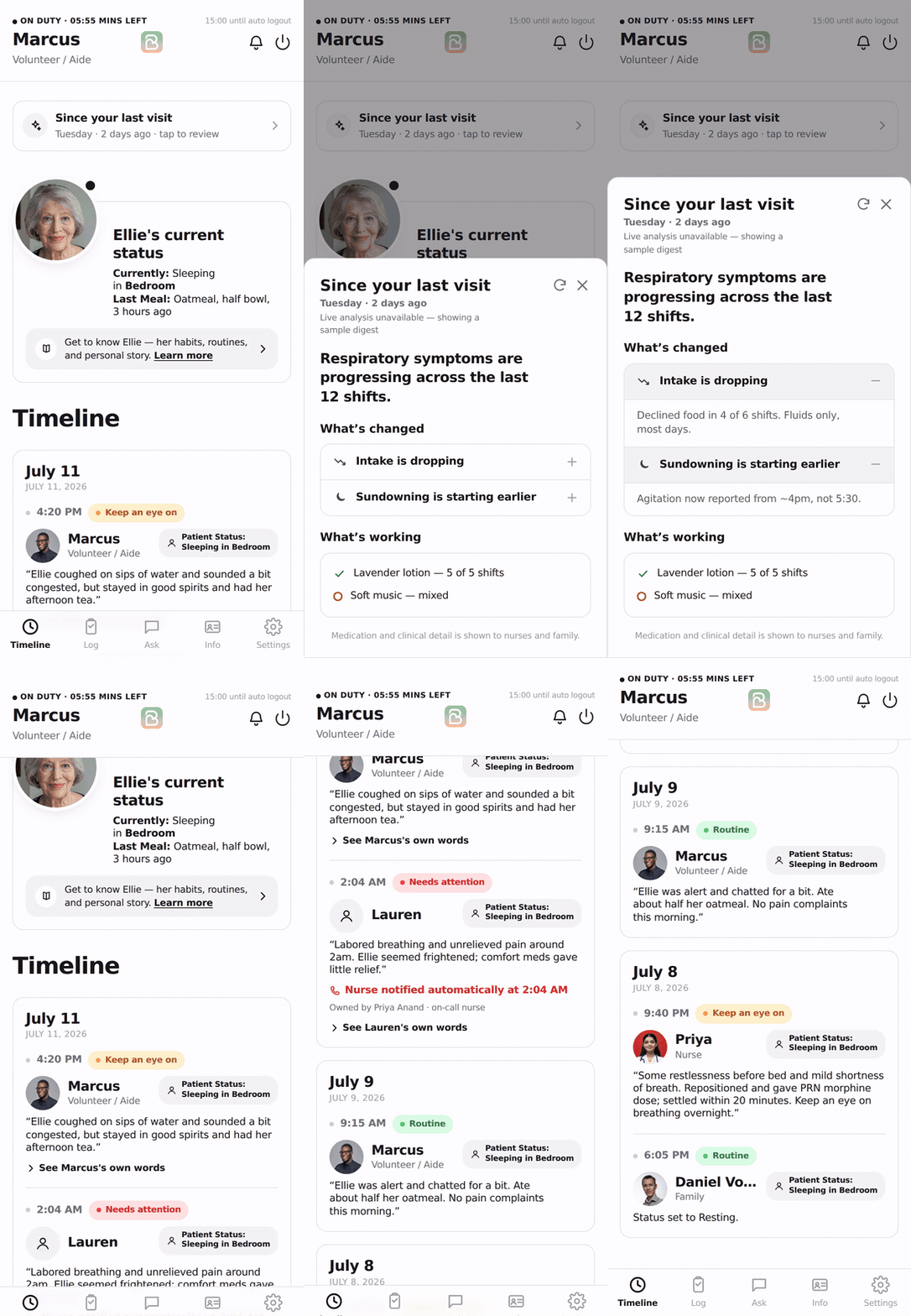
Shift context
“Since your last visit” shows what changed, the patient's status and the care plan before the next shift starts.
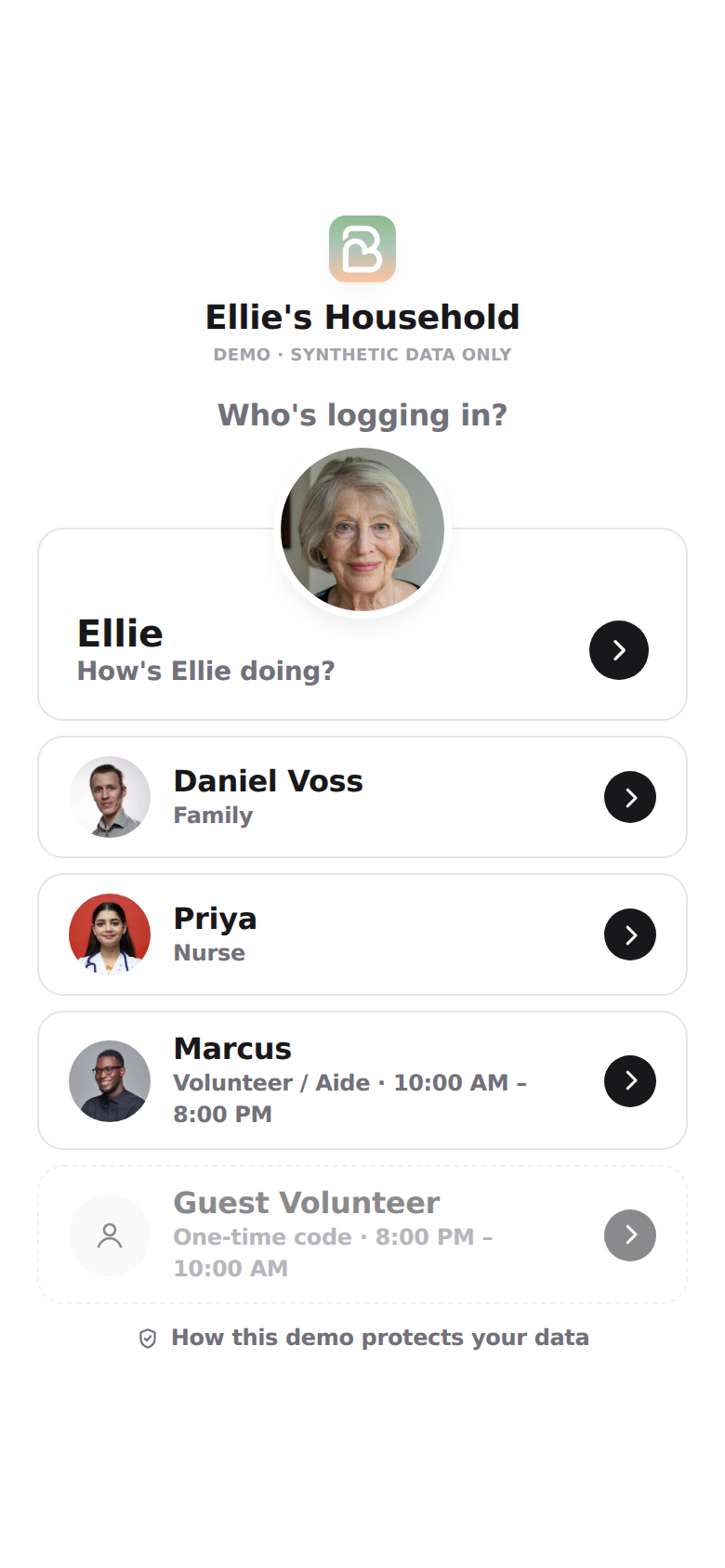
Role-based information
Family members, volunteers, and nurses see information based on what they need for their role.
Clips recorded from the project repo with the AI backend disconnected, so summaries shown are the app's labeled offline fallback.
15 hours from idea to presentation.
Two people, two tracks. When our inference provider started returning 403s, Sydney kept building the frontend on mocked responses, so neither track stalled.
Hour splits inside the 15 are approximate.
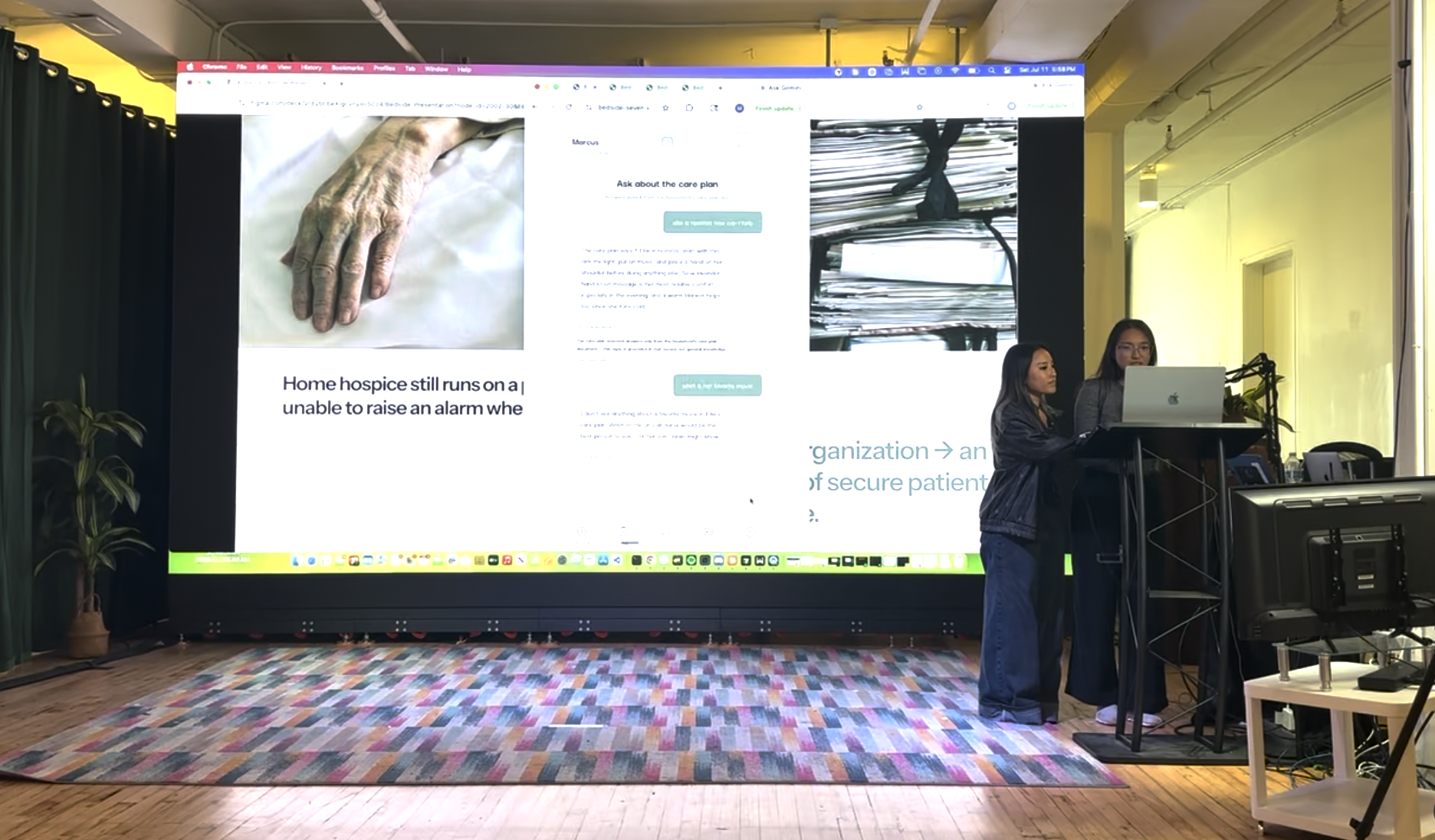
Presenting to the judges.
Bedside took 2nd place overall at AI for Social Good (MLH & DigitalOcean).
What broke, and what I'd change.
Three problems from the 15 hours, and what I'd do differently next time.
Inference calls returned 403s
Auth was working, but calls kept failing. After debugging the account and endpoints, the problem turned out to be outside our app.
An agent followed instructions too literally
My JSON formatting instruction was so strict that the agent skipped the tool call that shows the caregiver an escalation prompt.
Frontend and backend used different data
Both sides worked alone. The mismatch only showed up when we connected them.
What this project taught me
Bedside was my first time thinking about the backend alongside my frontend design, and I learned a lot from it.
Know where the data lives
I realized I had to understand where our data was stored before I could design what the agents and each role could see.
Design the part you can’t see
The agents processing the data needed design too: what they could access, how their responses were shaped, when they should escalate and what happened when they failed.
Doulas and their clients
We plan to expand Bedside to doulas, to support the clients they care for.
It was a really good experience, and it changed how I think about AI products: the behavior underneath the interface needs to be designed too.